8 min read
— views•Real-Time Data Streaming with Apache Kafka on AWS
Real-Time Data Streaming with Apache Kafka on AWS
TL;DR: Learn how to build a production-ready Kafka streaming pipeline on AWS EC2, from broker setup to Python-based producers and consumers.
Architecture Overview
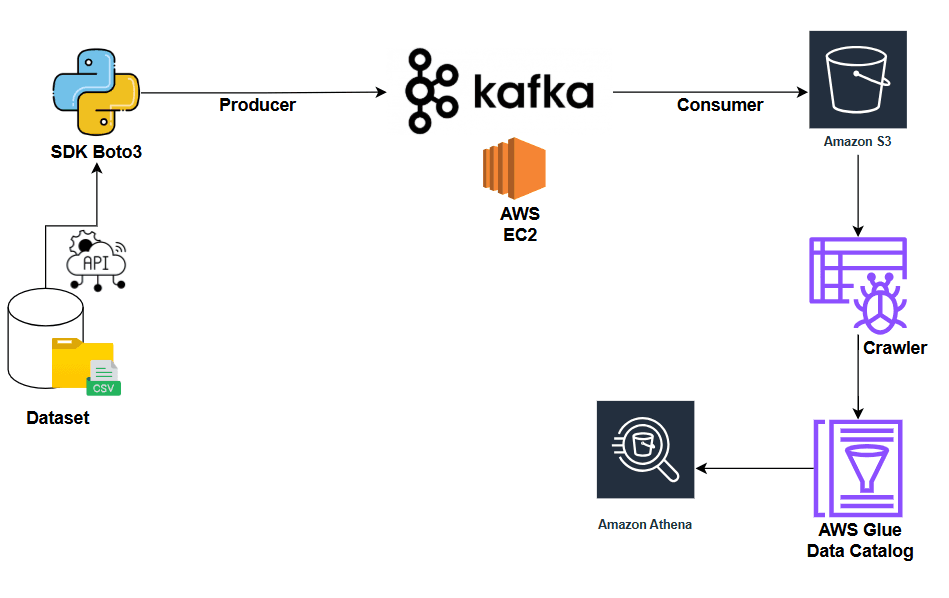
High-level architecture: Producers send events to Kafka topics. Brokers store partitioned logs. Consumers read by offset. Deployed on AWS EC2.
This guide walks you through deploying a complete Kafka streaming infrastructure on AWS, demonstrating how real-time data flows from producers through Kafka brokers to consumers.
Understanding Apache Kafka
Before diving into the implementation, let's understand what makes Kafka the industry standard for event streaming.
#What is Kafka?Apache Kafka is a distributed event streaming platform designed to handle high-throughput, fault-tolerant, real-time data pipelines. Originally developed by LinkedIn, it's now the backbone of streaming architectures at companies like Netflix, Uber, and Airbnb.
#Core Components1. Producers
Applications that publish events (messages) to Kafka topics. Producers decide which partition receives each message based on a key or round-robin distribution.
2. Topics
Named event logs that organize related events. Topics are split into partitions for:
- Horizontal scalability
- Parallel processing
- Fault tolerance through replication
3. Brokers
Kafka servers that:
- Store topic partitions on disk
- Serve read and write requests
- Handle replication across the cluster
- Form a distributed system for reliability
4. Zookeeper (or KRaft)
- Zookeeper: Legacy coordination service for metadata management and controller election
- KRaft: Modern Kafka-native consensus protocol (replaces Zookeeper in newer versions)
5. Consumers & Consumer Groups
- Consumers: Applications that read events from topics
- Consumer Groups: Enable parallel processing with one consumer per partition
- Each group tracks its own offset (position in the log)
- Producers send messages → Topic partitions (chosen by key or round-robin)
- Brokers persist messages → Append-only logs with configurable replication
- Consumers fetch messages → By offset, enabling replay and reprocessing
- Retention policies → Control data lifecycle independently of consumption
Hands-On: Building Your Kafka Cluster on AWS
#Step 1: Launch Your EC2 InstanceFirst, we'll create an EC2 instance to host our Kafka broker.
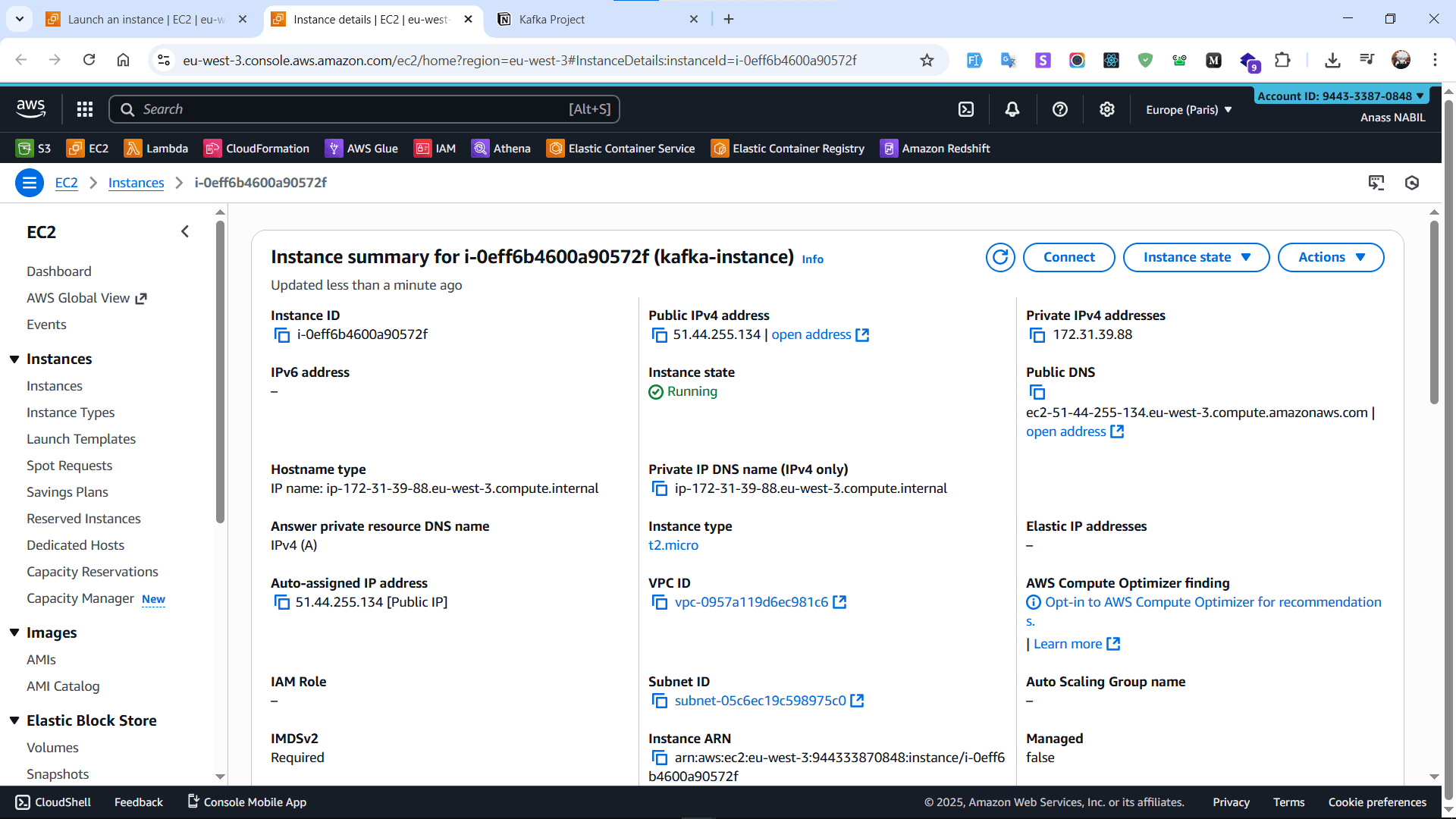
Launching an AWS EC2 instance to host the Kafka broker.
Recommended instance specs:
- Instance Type:
t2.mediumor larger (Kafka needs memory) - AMI: Amazon Linux 2023 or Ubuntu
- Storage: At least 20GB EBS volume
- Security Group: We'll configure this later
Once your instance is running, establish an SSH connection:
ssh -i your-key.pem ec2-user@your-instance-ip
SSH session established to the EC2 instance for setup.
#Step 3: Install JavaKafka runs on the JVM, so Java is a prerequisite:
sudo dnf install java-21-openjdk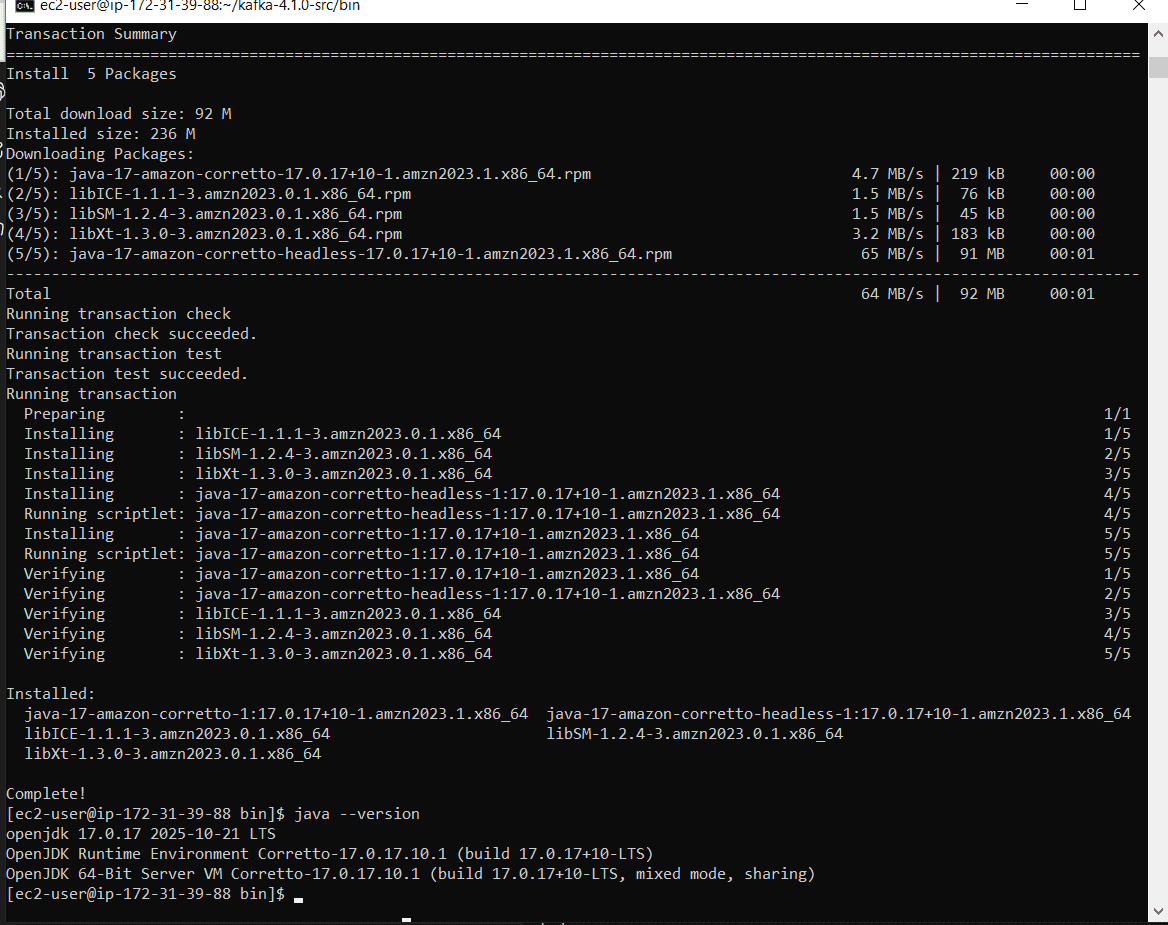
Installing Java 21 OpenJDK, a prerequisite for Kafka.
Verify installation:
java -versionDownload the latest Kafka release:
wget https://downloads.apache.org/kafka/3.8.0/kafka_2.13-3.8.0.tgz
tar -xvf kafka_2.13-3.8.0.tgz
cd kafka_2.13-3.8.0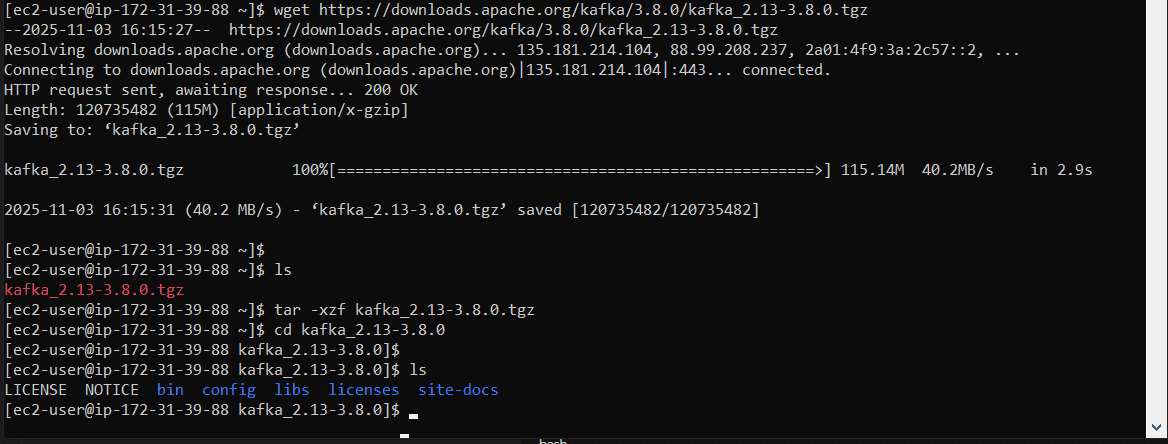
Downloading and extracting Kafka 3.8.0 (Scala 2.13).
What's in the package:
/bin: Scripts for starting servers and managing topics/config: Configuration files for brokers, Zookeeper, and clients/libs: Java libraries
By default, Kafka binds to localhost. For remote access, we need to update the configuration.
Edit the server properties:
sudo nano config/server.propertiesUpdate these critical settings:
# Replace with your EC2 instance's public IP
listeners=PLAINTEXT://0.0.0.0:9092
advertised.listeners=PLAINTEXT://YOUR_PUBLIC_IP:9092

# Example:
# advertised.listeners=PLAINTEXT://15.237.255.86:9092

Editing server.properties: listeners and advertised.listeners set to EC2 public IP.
Why this matters:
listeners: Internal address Kafka binds toadvertised.listeners: Address clients use to connect (must be publicly accessible)
Zookeeper must start first, as Kafka depends on it for coordination.
Open a terminal session and run:
bin/zookeeper-server-start.sh config/zookeeper.properties
Starting Zookeeper in a dedicated terminal.
Keep this terminal open. Zookeeper must run continuously.
#Step 7: Start the Kafka BrokerIn a new terminal (SSH into your instance again), start Kafka:
# Set memory limits to prevent OOM on small instances
export KAFKA_HEAP_OPTS="-Xmx256M -Xms128M"

# Start Kafka
bin/kafka-server-start.sh config/server.properties
Kafka broker starting with custom heap settings.
You should now have:
- ✅ Terminal 1: Zookeeper running
- ✅ Terminal 2: Kafka broker running
Before we can connect from outside, we need to open port 9092.
Go to AWS Console → EC2 → Security Groups → Your instance's security group
Add inbound rule:
- Type: Custom TCP
- Port: 9092
- Source:
0.0.0.0/0(or restrict to your IP for security)

Updating the EC2 security group to allow inbound TCP 9092 for Kafka.
Security note: In production, restrict access to known IP ranges and use SSL/SASL authentication.
#Step 9: Create Your First TopicIn a third terminal, create a topic:
bin/kafka-topics.sh --create \
  --topic data_topic \
  --bootstrap-server YOUR_PUBLIC_IP:9092 \
  --replication-factor 1 \
  --partitions 1
Topic created: data_topic with 1 partition and replication factor 1.
Verify the topic was created:
bin/kafka-topics.sh --list \
--bootstrap-server YOUR_PUBLIC_IP:9092Topic configuration explained:
--replication-factor 1: Number of copies (use 3+ in production)--partitions 1: Number of parallel streams (increase for scale)
Let's verify everything works before moving to code.
Terminal 3 - Start a consumer:
bin/kafka-console-consumer.sh \
  --topic data_topic \
--bootstrap-server YOUR_PUBLIC_IP:9092Terminal 4 - Start a producer:
bin/kafka-console-producer.sh \
  --topic data_topic \
--bootstrap-server YOUR_PUBLIC_IP:9092Type messages in the producer terminal—they should appear in the consumer terminal instantly!

Producer and consumer terminals showing messages flowing through data_topic.
Building Python Producers & Consumers
In production, you'll use application code instead of console tools. Let's simulate real systems using Python.
#Step 11: Set Up Your Development Environment
Opening a Python notebook to simulate system producers and consumers.
Create a Python environment:
Using uv (modern Python package manager):
uv venv
source .venv/bin/activateOr using traditional venv:
python -m venv kafka_env
source kafka_env/bin/activatepip install kafka-python marimo
Installing Python dependencies: kafka-python for Kafka clients, marimo for notebooks.
Alternative libraries:
kafka-python: Pure Python, easy to useconfluent-kafka: Faster, C-based librdkafka wrapperaiokafka: Async support for high-performance apps
from kafka import KafkaProducer
import json
import time
from datetime import datetime

# Initialize producer
producer = KafkaProducer(
    bootstrap_servers=['YOUR_PUBLIC_IP:9092'],
    value_serializer=lambda v: json.dumps(v).encode('utf-8')
)

# Send messages
for i in range(100):
    message = {
        'id': i,
        'timestamp': datetime.now().isoformat(),
        'value': f'Event {i}'
    }

    producer.send('data_topic', value=message)
    print(f'Sent: {message}')
    time.sleep(1)

producer.flush()
producer.close()from kafka import KafkaConsumer
import json
# Initialize consumer
consumer = KafkaConsumer(
'data_topic',
bootstrap_servers=['YOUR_PUBLIC_IP:9092'],
auto_offset_reset='earliest',
enable_auto_commit=True,
group_id='my-consumer-group',
value_deserializer=lambda m: json.loads(m.decode('utf-8'))
)
# Consume messages
print('Waiting for messages...')
for message in consumer:
print(f'Received: {message.value}')
# Process your data here
# e.g., save to database, trigger alerts, etc.
Notebook cells demonstrating producer and consumer implementations.
Key Concepts to Remember
#Offsets & Consumer Groups- Each message has a unique offset (position in partition)
- Consumer groups allow parallel processing
- Kafka tracks committed offsets per group
- Enables replay by resetting offsets
- By key: Related events go to same partition (ordering guaranteed)
- Round-robin: Even distribution across partitions
- More partitions = more parallelism (but more overhead)
- Replication factor ensures data durability
- Leader election happens automatically on broker failure
- Consumers can pick up where they left off
Troubleshooting Common Issues
#Issue: "Connection refused" or "Network timeout"Solutions:
- ✅ Check security group rules (port 9092 open)
- ✅ Verify
advertised.listenersuses public IP - ✅ Ensure Kafka broker is running
- ✅ Test with
telnet YOUR_IP 9092
Solutions:
- Adjust heap settings:
export KAFKA_HEAP_OPTS="-Xmx512M -Xms256M" - Use a larger instance type
- Configure log retention to delete old data
Solution: Wait 10-30 seconds after creating topics—leader election takes time.
Production Best Practices
Before deploying to production, consider:
✅ Multi-broker cluster: 3+ brokers for high availability
✅ Replication factor 3: Protect against data loss
✅ Multiple partitions: Enable horizontal scaling
✅ Monitoring: Use Prometheus + Grafana or Confluent Control Center
✅ Security: Enable SSL/TLS and SASL authentication
✅ Automated backups: Use MirrorMaker or AWS MSK
✅ Resource planning: Size instances based on throughput needs
Next Steps
Now that you have a working Kafka cluster, explore:
- Kafka Streams: Build real-time stream processing apps
- Kafka Connect: Integrate with databases, S3, and other systems
- Schema Registry: Manage Avro/Protobuf schemas
- AWS MSK: Fully managed Kafka service (no EC2 management)
- Monitoring: Set up JMX metrics and alerting
Conclusion
You've just built a production-ready Kafka streaming pipeline from scratch! This architecture handles:
- Real-time event ingestion
- Scalable message distribution
- Fault-tolerant data storage
- Flexible consumer patterns
Kafka's power lies in its simplicity: append-only logs that multiple systems can read at their own pace. Master this pattern, and you've unlocked the foundation of modern data architectures.
Enjoy this post? Like and share!